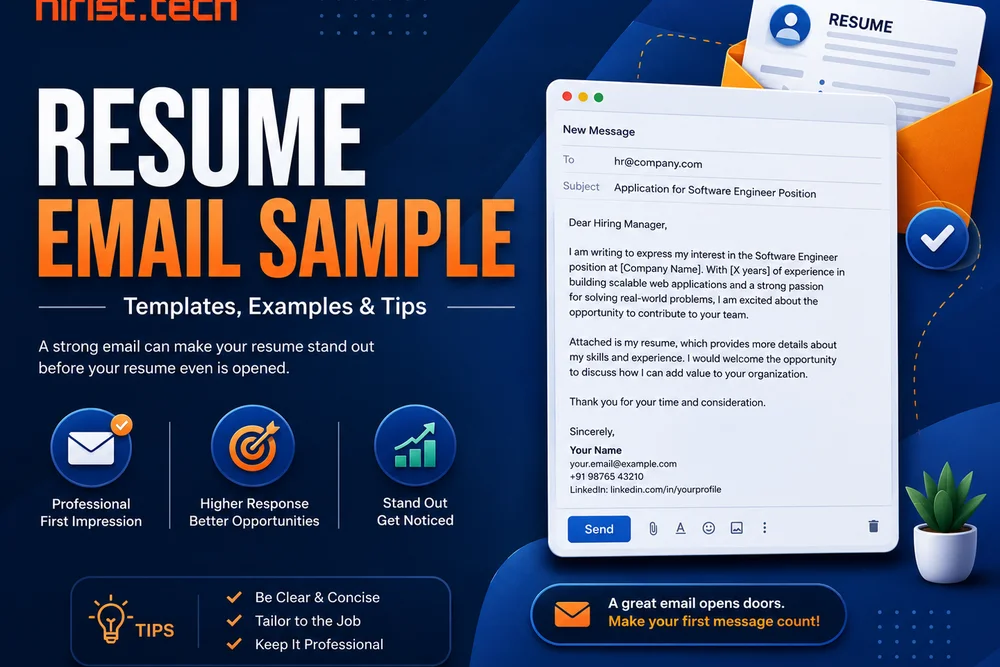
Resume Email Sample – Sending a resume by email is often the first direct contact you have with an employer. That makes the email just as important as the resume itself. A clear and well-written message helps the recruiter understand who you are and why you are applying. It creates a good first impression and increases your chances of getting a response.
In this guide, you will learn how to send a resume through email in a professional way. We will also cover the correct email format for resume sending, suitable subject lines, and practical resume email samples.
Sample emails to send resume for job application
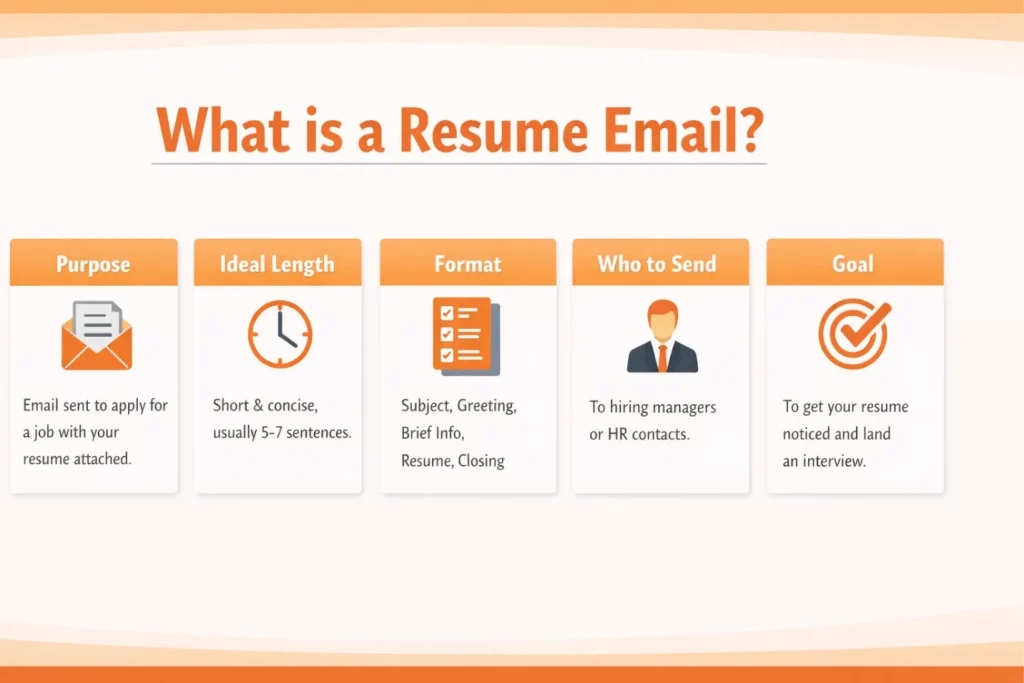
Here are the sample emails to send resume for job application. These examples cover different scenarios such as referrals, internships, direct job applications, and follow-ups to help you choose the right email format.
- Simple resume email sample (direct job application)
This email resume example shows a professional way to apply for a job directly, using a short message that helps recruiters quickly understand your purpose.
Subject: Resume for Software Engineer – Nisha Arora
Dear Hiring Manager,
I am writing to apply for the Software Engineer position at TechNova Solutions, as advertised on your careers page. I have three years of experience working with Java, Spring Boot, and REST APIs in enterprise applications.
I am currently working at CoreLogic Systems, where I focus on backend development and performance optimisation. My resume is attached for your review.
Thank you for your time and consideration. I would be happy to discuss my application further.
Kind regards,
Nisha Arora
+91 9xxxxxxxxx
nisha.arora@email.com
- Detailed resume email sample
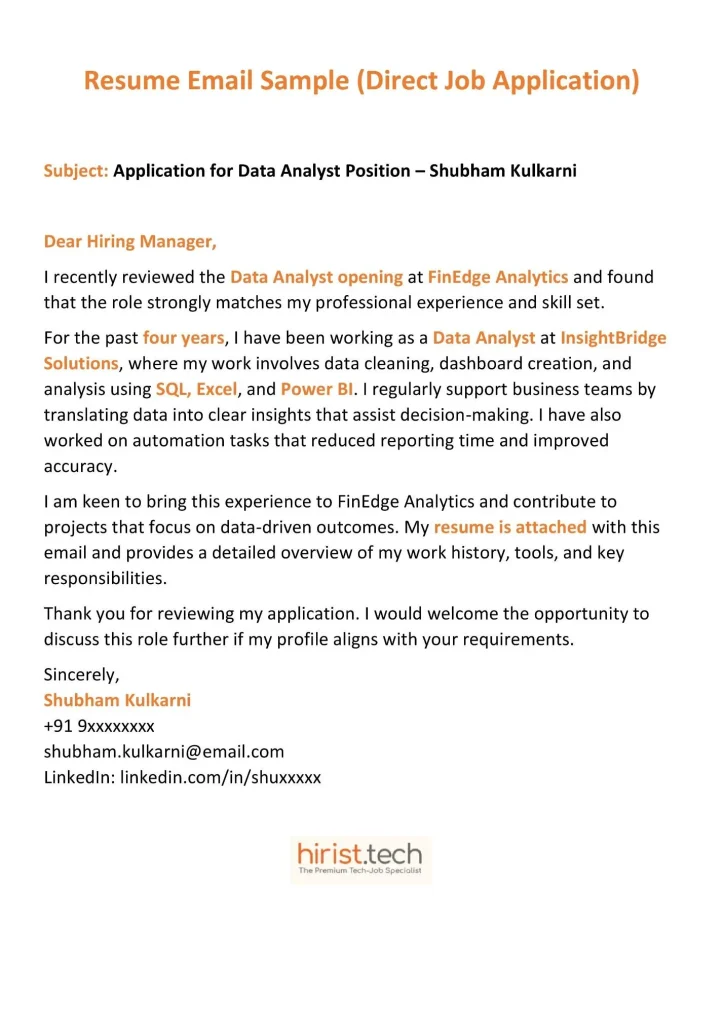
This sample email for job application with resume is useful when you want to briefly explain your experience and skills in more detail.
Subject: Application for Senior Business Analyst – Rohan Mehta
Dear Ms. Kapoor,
The Senior Business Analyst position at Infowave Technologies, shared on LinkedIn, closely matches my experience in business analysis and stakeholder management across IT projects.
I bring over six years of experience working with cross-functional teams to gather requirements, prepare documentation, and support data-driven decisions. At Vertex Consulting, I have led multiple initiatives involving system analysis, reporting, and client coordination, contributing to improved process efficiency.
My resume is attached for your review and outlines my professional background and key achievements in detail. I would welcome the opportunity to discuss how my experience can add value to your team.
Thank you for your time and consideration.
Sincerely,
Rohan Mehta
+91 9xxxxxxxx
rohan.mehta@email.com
- Resume email sample for freshers
This example shows how freshers can write a clear resume email and use a suitable CV email subject line that looks professional even with limited experience.
Subject: Entry-Level Application for Business Analyst
Dear Hiring Team,
I came across the Business Analyst opportunity at BrightEdge Solutions and felt it was a strong match for the skills I have developed during my studies and internship experience.
I recently completed my MBA in Business Analytics from Delhi University. As part of my coursework and internship at Axis Insights, I worked on data interpretation, documentation, and basic reporting tasks. These experiences helped me build a solid foundation in analysis and structured problem-solving.
I have attached my resume for your reference. I would appreciate the chance to learn more about this role and share how I can contribute as a fresher.
Thank you for reviewing my application.
Warm regards,
Anjali Sharma
+91 9xxxxxxxxx
anjali.sharma@email.com
- Resume email sample for experienced professionals
Here is a sample email to send resume to recruiter that experienced candidates can use to present their profile.
Subject: Resume for Product Manager Role – Vikram Malhotra
Hello Ms. Sen,
Your recent post about the Product Manager opening at CloudAxis caught my attention, as it aligns closely with my experience in product strategy and cross-team execution.
Over the past eight years, I have worked on end-to-end product development, from requirement discovery to launch and optimisation. In my current role at NexaSoft, I collaborate with engineering, design, and sales teams to define product roadmaps and improve user adoption across SaaS platforms.
I am sharing my resume with this email for your review. If the role is still open, I would be glad to discuss how my background could be relevant to your hiring needs.
Looking forward to your response.
Best regards,
Vikram Malhotra
+91 9xxxxxxxxx
vikram.malhotra@email.com
- Resume email sample for referral-based job application
You can use this sample email to send resume for job through a referral. It shows how to mention the reference politely.
Subject: Referral Application for QA Engineer
Dear Mr. Rao,
I was referred to this opportunity by Neha Verma from your QA team, who suggested my background could be relevant for the QA Engineer role at SoftBridge Technologies.
I have four years of experience in manual testing, test case preparation, and defect tracking across web applications. My resume is attached for your review.
Thank you for considering my application.
Best regards,
Amit Patel
+91 9xxxxxxxx
amit.patel@email.com
- Resume email sample for internship application
Here is an example that explains how to send resume through email for internships, focusing on academic background.
Subject: Internship Application for Data Analyst – Kunal Verma
Dear Hiring Team,
I am interested in the Data Analyst internship opportunity at BlueStack Analytics, as it closely relates to my current studies and career interests.
I am pursuing a B.Tech in Computer Science from VIT Vellore and have completed coursework in data analysis, Python, and SQL. As part of my academic projects, I have worked on data cleaning and basic visualisation tasks.
I have attached my resume for your reference and would appreciate the opportunity to learn and contribute as an intern.
Thank you for your time.
Sincerely,
Kunal Verma
+91 9xxxxxxxxx
kunal.verma@email.com
- Cold email resume sample to a hiring manager
You can use this resume email sample for networking and introductions. It helps you to share your resume when no job opening is formally listed.
Subject: Looking for Opportunities in Data Engineering
Dear Mr. Iyer,
I have been following the work your team is doing at DataCore Systems and wanted to introduce myself for potential opportunities in data engineering.
I bring five years of experience working with SQL, Python, and cloud-based data pipelines in fintech projects. While I understand there may not be an active opening at the moment, I wanted to share my resume in case my profile is relevant for future roles.
Thank you for taking the time to read this message. I would appreciate staying in touch.
Kind regards,
Saurabh Khanna
+91 9xxxxxxxx
saurabh.khanna@email.com
- Resume follow-up email sample after job application
Here is a short follow-up email example showing how to politely check the status of your job application and restate interest after sending your resume.
Subject: Follow-Up on Application for UI Designer
Dear Ms. Fernandes,
I hope you are doing well. I wanted to follow up on my application for the UI Designer role shared last week and check if there have been any updates.
I remain interested in this opportunity and would be happy to provide any additional information if needed. Thank you for your time and consideration.
Warm regards,
Riya Malhotra
+91 9xxxxxxxx
riya.malhotra@email.com
Also Read - Achievements in Resume: 70+ Examples & How to Write Them
How to Send Resume Through Email
Now that you have seen the samples, we will walk you through how to write and send a resume email in a step-by-step manner.
Step 1: Research the Job and Prepare the Resume First
The first step is to research and understand the job description. Read the role, responsibilities, and required skills. Then update your resume so it matches what the employer is asking for. A customised resume makes the email easier to write and shows seriousness. This preparation is the foundation of how to send a resume email correctly.
Think like the recruiter: Does this resume clearly match the role in one quick scan?
Step 2: Decide Who You Are Writing To
Check the job post carefully. See if it mentions HR, a recruiter, or a hiring manager by name. Sending the email to the right person improves visibility and response rate. When sending a resume via email, addressing the correct person matters as much as the content.
- If HR email is listed, write to HR
- If a recruiter name is mentioned, use it
- If unsure, “Dear Hiring Manager” is acceptable
Step 3: Fix the Email Structure Before Writing
Do not start typing random lines. First, decide the structure you will follow. This avoids missing important parts and keeps the email readable. Use a clear email format for resume writing.
- Subject line
- Greeting
- Reason for writing
- Relevant experience or background
- Resume attachment mention
- Polite closing
- Signature
This structure works across industries and experience levels.
Step 4: Write a Clear and Specific Subject Line
The subject line tells the recruiter why the email exists. Keep it short and specific. Always include the job title and your name. This follows the standard mail format for sending resume for job and helps the email stand out in crowded inboxes.
- Resume for Software Engineer – Nisha Arora
- Job Application: Data Analyst – Ritu Sharma
Step 5: Start the Email Body with Purpose
The first line should clearly say why you are writing. Mention the job role and where you found it. Do not add greetings with unnecessary phrases.
Example:
“I am writing to apply for the Project Coordinator position advertised on your company website.”
This clarity is essential when learning how to mail a resume professionally.
Step 6: Add Relevant Details Without Repeating the Resume
Use one or two short lines to connect your background with the role. Choose the most relevant experience or skill. Avoid listing everything.
Example (experienced):
“I have five years of experience managing timelines, vendors, and internal coordination across multiple projects.”
Example (fresher):
“I recently completed my management degree and worked on academic projects involving planning and reporting.”
This step shows your job fit without overwhelming the reader.
Step 7: Mention the Resume Attachment Clearly
Tell the recruiter that your resume is attached. Keep it simple and professional.
Example:
“Please find my resume attached for your review.”
Step 8: Close the Email Politely and Confidently
End the email with a respectful closing. Show openness to discussion without sounding demanding.
Example:
“Thank you for your time and consideration. I would be happy to discuss my application further.”
Then add your signature with name and contact details.
Step 9: Attach the Resume and Review Once
Attach the resume after finishing the email. Use a PDF unless another format is requested. Name the file clearly using your name and job role. Read the email once from the recruiter’s point of view, then send it confidently.
Also Read - Declaration in Resume: Meaning, Format & Examples
Resume email format
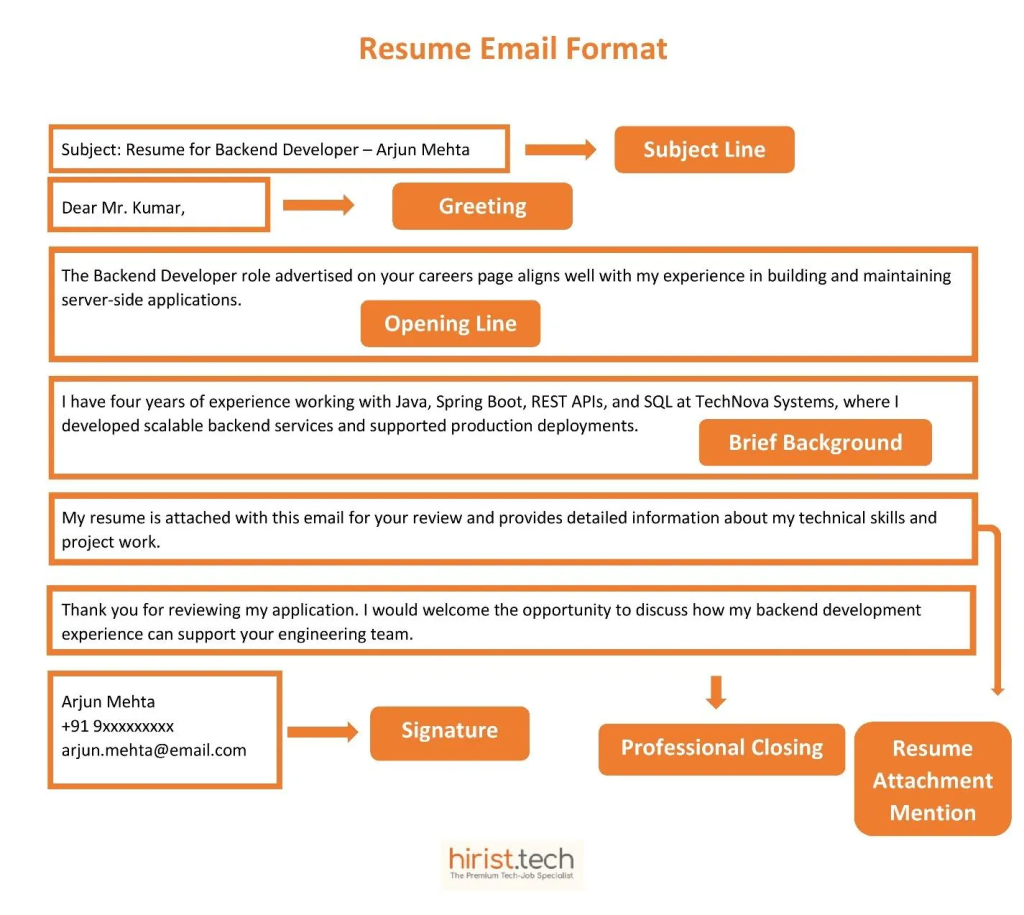
A clear resume email format helps recruiters understand your application quickly. Following a structured approach avoids confusion and makes your message easy to read. Below is the resume mail format most employers expect when reviewing job applications.
- Subject line: Mention the job title and your name so the purpose of the email is clear.
- Greeting: Address the recruiter or hiring manager politely using their name when available.
- Opening line: Clearly state the role you are applying for and where you found the job opening.
- Brief background: Add one or two lines highlighting relevant experience or skills that match the role.
- Resume attachment mention: Clearly state that your resume is attached for review.
- Professional closing: Thank the reader for their time and express willingness to discuss the role further.
- Signature: Include your full name, phone number, and email address.
This mail format for sending resume for job keeps your email short and increases the chances of your resume being opened and reviewed.
Also Read - Resume Format for Freshers – Samples & Templates for IT Freshers
Subject for Sending Resume or CV
Your subject line is the first thing a recruiter sees. A clear subject helps them understand the purpose of your email instantly and improves the chance of your resume being opened.
What a Good Subject Looks Like?
A good email resume subject clearly mentions the job title and your name. It is short and easy to scan. This is the safest email resume subject line for most job applications.
What to Avoid?
Avoid vague subjects like “Resume” or “Job Application.” Do not use informal words or long sentences. A confusing CV email subject can cause your email to be ignored.
How to Write the Subject Line?
If you are unsure how to send CV by email subject, follow this simple pattern:
Job Title – Your Name
This works well for all types of jobs.
Best Subject Line Examples for Resume Email
Here are the best subject for sending resume to HR or recruiter:
- Resume for Software Developer – Manish Mehra
- Application for AI Engineer – Raj Soni
- CV for Data Analyst Role – Pooja Singh
- Resume for Backend Developer Role – Karan Malhotra
- Job Application: UI Designer – Simran Kaur
- Fresher Application for Business Analyst – Rahul Jain
- Entry-Level Resume for Cloud Engineer – Anjali Sharma
These examples cover common cases where a clear subject for sending CV helps your application look professional and easy to identify in the inbox.
Email Templates for Sending Your Resume or CV
Here are simple and professional email templates for sending your resume or CV. You can customise these templates based on the job role and your experience before sending them.
- Email template for sending resume
This email resume template shows how to introduce your application briefly, so the recruiter understands the role you are applying for before opening the resume.
Subject: Resume for [job title] – [your name]
Dear [hiring manager’s name],
I am writing to apply for the [job title] position at [company name]. I have [brief mention of experience or background] and believe my skills align well with the requirements of this role.
Please find my resume attached for your review. I would be happy to discuss my application further if required.
Email template for sending CV
Here is a template that shows how to send CV by email when the application requires a more formal tone, such as academic roles or international jobs.
Subject: CV for [position name] – [your name]
Dear [recipient’s name],
I am submitting my CV for the [position name] role at [institution or company name]. My academic and professional background aligns closely with the requirements outlined for this position.
I have attached my CV for your consideration and would be glad to clarify any details if required.
Sincerely,
Your full name
Phone number
Email address
Email templates for sending your resume or CV
Email template for sending resume
This email resume template shows how to introduce your application briefly, so the recruiter understands the role you are applying for before opening the resume.
Subject: Resume for [job title] – [your name]
Dear [hiring manager’s name],
I am writing to apply for the [job title] position at [company name]. I have [brief mention of experience or background] and believe my skills align well with the requirements of this role.
Please find my resume attached for your review. I would be happy to discuss my application further if required.
Thank you for your time and consideration.
Kind regards,
Your full name
Phone number
Email address
Email template for sending CV
Here is a template that shows how to send CV by email when the application requires a more formal tone, such as academic roles or international jobs.
Subject: CV for [position name] – [your name]
Dear [recipient’s name],
I am submitting my CV for the [position name] role at [institution or company name]. My academic and professional background aligns closely with the requirements outlined for this position.
I have attached my CV for your consideration and would be glad to clarify any details if required.
Sincerely,
Your full name
Phone number
Email address
Tips for writing an effective resume email
Here are some tips you can follow to improve your resume email clarity and response rates:
- Use professional language and avoid sounding overly casual
- Avoid copying the same email for every job application
- Match the tone of your email with the company culture
- Use the same job title wording as the job post inside the email body
- Do not use fancy fonts, colours, or emojis in the email
- Keep one empty line between sections to improve readability on mobile
- Avoid explaining personal situations or career gaps here
- Read the email once aloud to check flow and clarity
- Save a copy of the sent email for future follow-ups
- Do not CC multiple people unless the job post asks for it
Common resume email mistakes to avoid
These are common errors people make when they send a resume email:
- Writing a very long email that repeats the entire resume
- Using an unclear or generic subject line
- Forgetting to attach the resume or attaching the wrong file
- Sending the same email to multiple companies without edits
- Using an unprofessional email address
- Making spelling or grammar mistakes
- Sending follow-up emails too frequently or too early
- Sending resumes late at night or on weekends
Cover letter and resume email – What’s the difference?
Many applicants get confused between a cover letter and resume email, but they serve different purposes. Understanding the difference helps you decide what to write in the email body and when a separate cover letter is actually needed.
| Resume Email | Cover Letter | |
|---|---|---|
| Purpose | Introduces your application briefly | Explains your experience in detail |
| Length | Short (80–120 words) | Longer (1 page) |
| Where it appears | In the email body | Attached as a separate document |
| Focus | Job role and quick relevance | Skills, achievements, and motivation |
| Always required | Yes | Only if requested or needed |
| Writing style | Direct and concise | More detailed and explanatory |
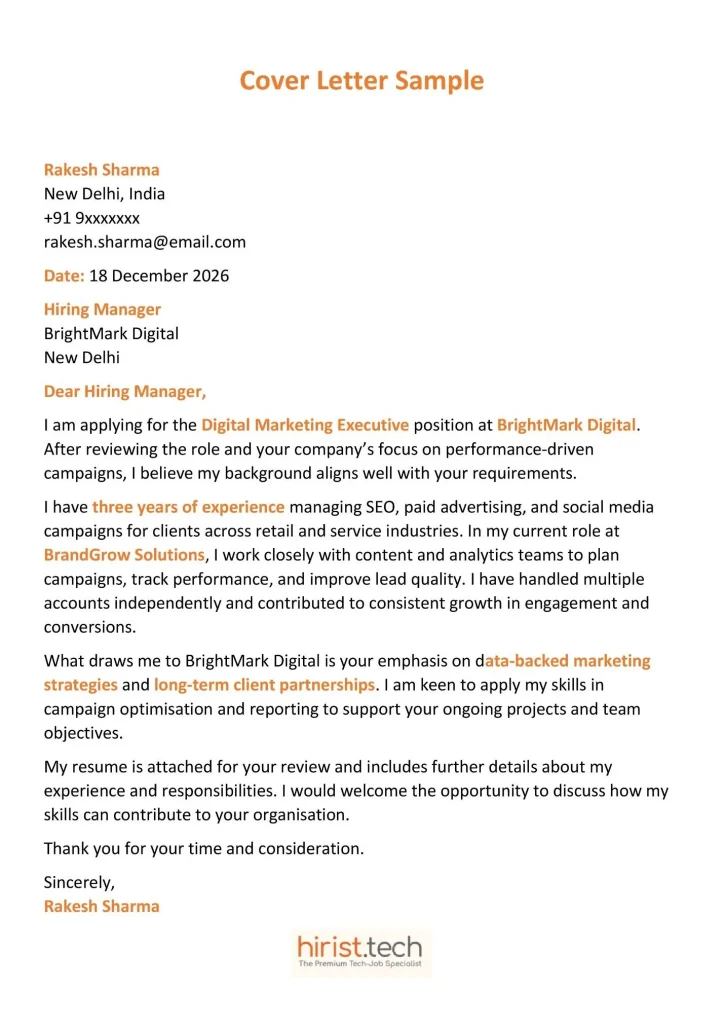
In most cases, a clear resume email is enough. A cover letter is useful only when the role demands extra explanation.
Here is a cover letter sample you can follow.
Also Read - Top 5+ Sample Cover Letter for Software Engineer
Wrapping up
A well-written resume email helps you create a strong first impression and improves your chances of getting noticed. Use the resume email samples shared in this blog as a reference, and always customise the sample email to send resume for job application based on the role and company.
If you are looking for new opportunities in tech, visit Hirist, an online job portal that brings together the best IT jobs in India in one place.
FAQs
Write a clear subject line with the job role and your name, keep the email short, explain why you are applying, attach the CV as a PDF, and send it to the correct person.
The subject should mention the job title and your name so the recruiter understands the purpose immediately, for example: “CV for Business Analyst Role – Kiran Kumar.”
Freshers should keep the email simple, mention the role clearly, highlight education or relevant projects, attach the resume, and avoid over-explaining or apologetic language.
Send a short and polite email one week after applying, mention the job role, remind them about your application, and ask if any further information is needed.
Address HR professionally, mention the job role in the first line, briefly connect your experience or background to the role, attach your resume, and close politely.
Freshers should use a simple subject with the role and name, such as: “Fresher Application for QA Engineer – Raj Sharma.”
Sending a resume on WhatsApp works only in specific cases, such as referrals or direct requests. Here is how to send resume in WhatsApp with subject while keeping the message professional.
A CV email sample usually includes a clear subject, a short introduction, one relevance line, a resume attachment note, and a polite closing with contact details.
Click “Compose,” enter the recruiter’s email, add a subject line, write a short message, attach your resume using the paperclip icon, review once, and click send.
You can write simple lines such as: “Please find my CV attached for your review” or “I have attached my CV for your consideration.”
Check the job posting first. If it is not mentioned, look at the company’s LinkedIn page, employee profiles, or the careers section. You can also search the company website for HR or recruitment contacts.
One follow-up after a week is enough. Sending multiple follow-ups can create a negative impression.