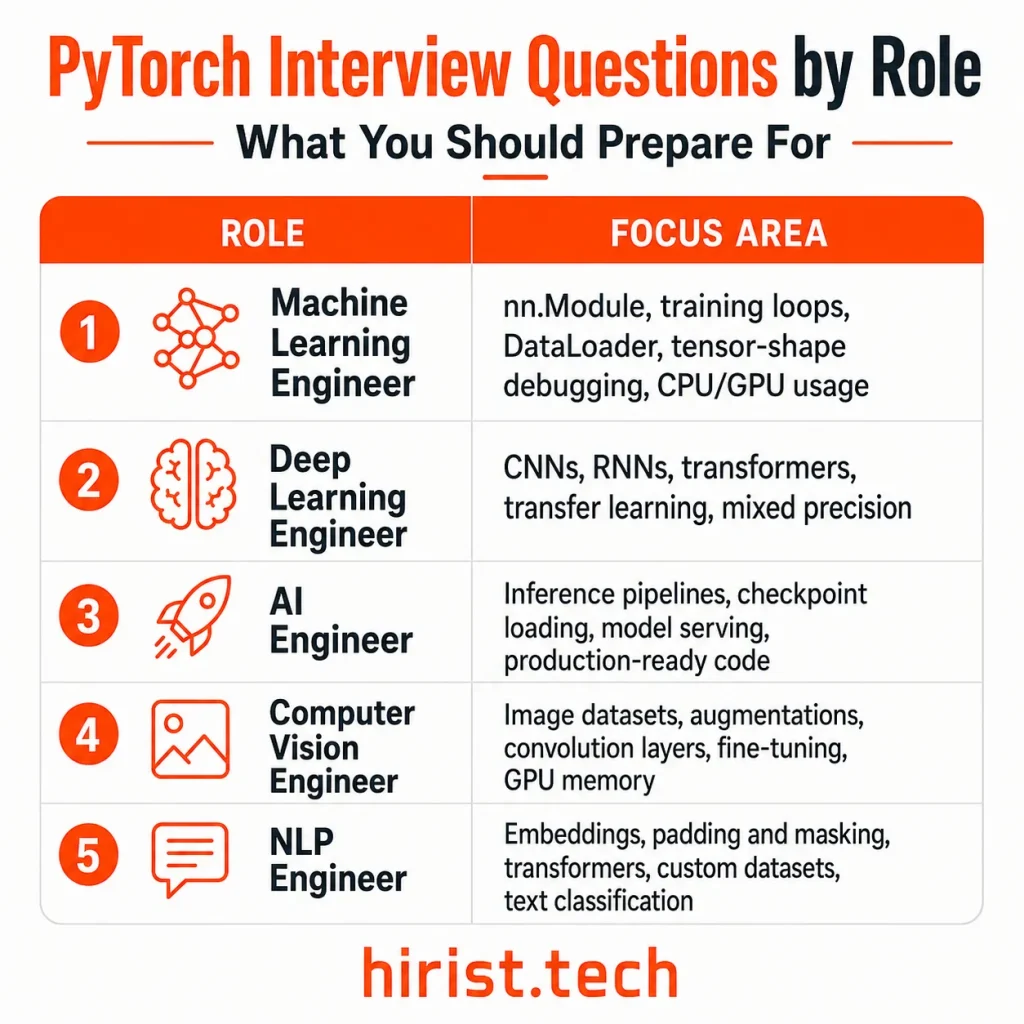
PyTorch interview questions are commonly included in the technical and coding rounds for artificial intelligence, deep learning and machine learning engineer roles. This guide covers 20 frequently asked PyTorch interview questions with clear answers and practical coding examples. It will help you revise important topics such as tensors, autograd, and neural networks so you can prepare confidently for your next technical interview.
What is PyTorch?
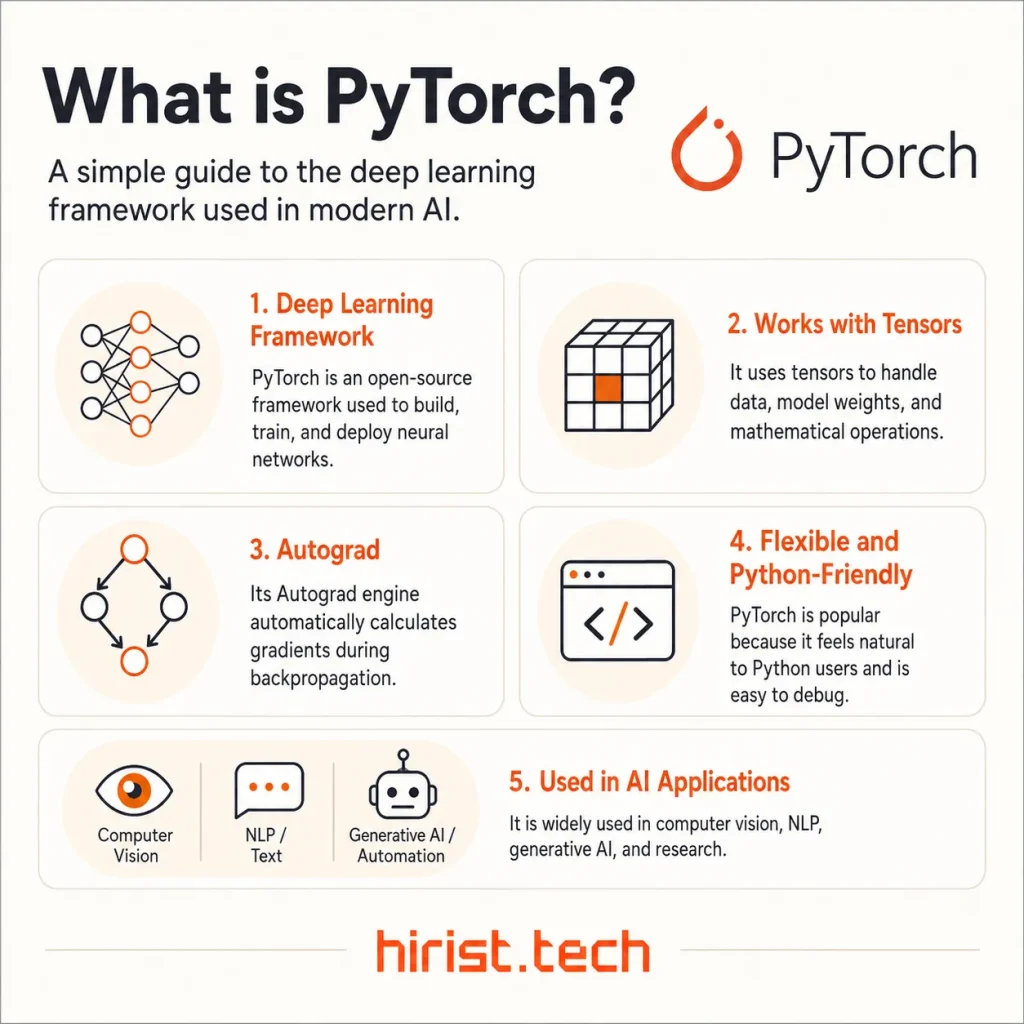
PyTorch is an open-source machine learning and deep learning framework used to build, train, and deploy neural networks. It was created at Facebook AI Research in 2016, with Soumith Chintala playing a leading role in its development. The project now operates under the PyTorch Foundation within the Linux Foundation. PyTorch has become a leading framework for AI research and large-scale commercial applications.
OpenAI adopted PyTorch as its main deep learning framework. Stable Diffusion and Meta’s Llama models also have strong PyTorch-based ecosystems. Since the framework is used in actual AI development, employers often expect candidates to understand its core concepts and know how to use it in practical situations.
PyTorch Interview Questions and Answers (Basic and Intermediate)
Screening calls and technical discussions often begin with questions about how PyTorch works. The PyTorch interview questions and answers in this section cover tensors, autograd, neural networks, datasets, optimizers, and other basic to intermediate concepts.
1. Why is PyTorch widely used for machine learning and deep learning?
PyTorch is a Python-based framework for building and training deep learning models. It provides tensors for numerical computation, Autograd for automatic gradient calculation, and tools for designing neural networks.
Developers prefer PyTorch because its syntax is easy for Python users to understand. Its dynamic computation graph also makes models easier to inspect, change, and debug. PyTorch supports CPU and GPU execution, distributed training, and deployment. It is widely used in computer vision, NLP, generative AI, and large-scale machine learning projects.
2. What is a tensor in PyTorch, and how is it different from a NumPy array?
A tensor is a multidimensional data structure used to store model inputs, outputs, weights, and gradients. It is similar to a NumPy array but includes features designed for deep learning.
PyTorch tensors can run on CPUs and GPUs. They can also track operations for automatic differentiation when requires_grad=True. NumPy arrays are mainly used for general numerical computation and do not provide built-in gradient tracking. A NumPy array can be converted into a tensor using torch.from_numpy(), which may share memory with the original array.
3. How do PyTorch’s dynamic computation graphs compare with TensorFlow’s eager and graph execution modes?
PyTorch builds its computation graph while operations are running. This approach is called define-by-run. It allows developers to use normal Python loops, conditions, and debugging tools inside a model.
The graph is created again during every forward pass, which makes PyTorch useful for models whose structure changes according to the input.
TensorFlow 2 also uses eager execution by default. However, it can convert Python code into a reusable graph with tf.function to improve performance and support deployment.
4. What is the difference between view() and reshape() when changing a tensor’s shape?
Both view() and reshape() change the shape of a tensor without changing its values.
view() works only when the tensor’s memory layout is compatible with the requested shape. It may fail on a non-contiguous tensor unless contiguous() is called first.
reshape() is more flexible. It returns a view when possible but creates a copy when the existing memory layout does not allow a view. Therefore, a tensor returned by reshape() does not always share memory with the original tensor.
5. Which methods must be implemented when creating a custom PyTorch Dataset?
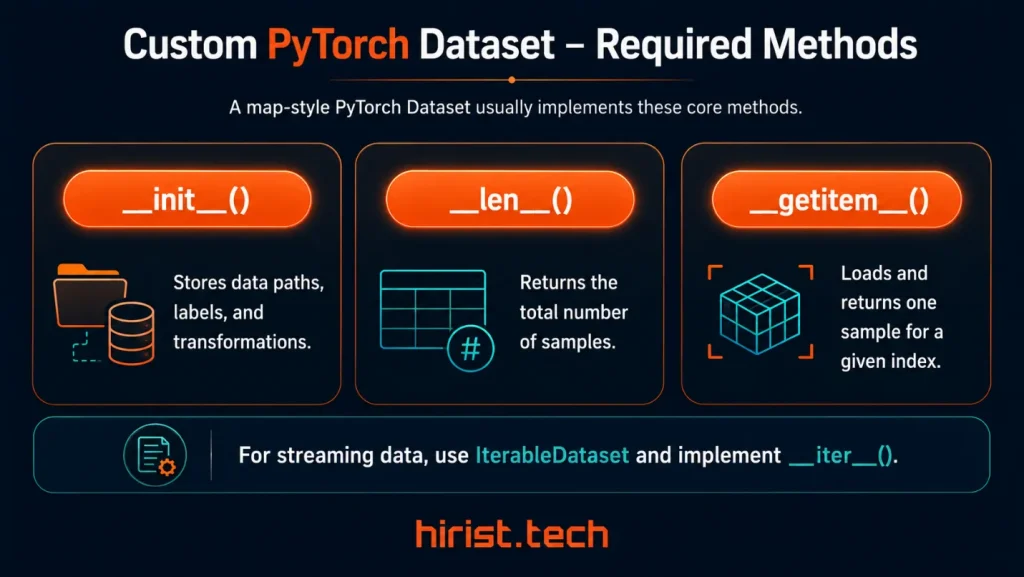
A map-style custom Dataset usually includes three methods:
● init() stores data paths, labels, and transformations.
● len() returns the total number of samples.
● getitem() loads and returns one sample for a given index.
For streaming data that is read in sequence, you can extend IterableDataset and implement iter() instead.
6. What is the difference between Dataset and DataLoader in PyTorch?
A Dataset defines where the data comes from and how each sample is accessed. A DataLoader controls how those samples are supplied to the model.
| Dataset | DataLoader |
|---|---|
| Defines how individual samples are stored and accessed | Loads samples from a Dataset and sends them to the model |
| Uses methods such as len() and getitem() | Handles batching, shuffling, sampling, and parallel loading |
| Usually returns one sample and its label | Returns batches during training or evaluation |
In simple terms, a Dataset describes the data, while a DataLoader manages how the data is loaded.
7. How does the Autograd engine track operations, and what does detach() do?
Autograd records operations performed on tensors when gradient tracking is enabled and at least one tensor has requires_grad=True. These operations form a dynamic computation graph.
When backward() is called, PyTorch moves through the graph in reverse and applies the chain rule to calculate gradients.
detach() returns a tensor that is disconnected from the current graph. It shares data with the original tensor but does not carry its gradient history. It is useful when logging values or reusing outputs without tracking more operations.
8. What do requires_grad, backward(), and the .grad attribute do?
requires_grad=True tells Autograd to track operations involving a tensor. Calling backward() on the final loss runs reverse-mode automatic differentiation and calculates the loss gradient with respect to the tracked parameters.
The calculated gradients are stored in each eligible tensor’s .grad attribute. By default, .grad is populated for leaf tensors such as model parameters. Intermediate non-leaf tensors do not retain their gradients unless retain_grad() is called. Another important point is that .grad values accumulate across backward passes instead of being replaced automatically.
9. Why is optimizer.zero_grad() called during model training?
PyTorch accumulates gradients instead of replacing them after every backward pass. Without clearing them, gradients from the current batch would be added to those from previous batches. This could produce incorrect parameter updates.
optimizer.zero_grad() clears the stored gradients before the next backward pass. It is normally called once during each training iteration, usually before loss.backward().
It should not be called after every batch when gradients are intentionally being accumulated across multiple batches.
10. What is the difference between nn.Module and nn.Sequential?
nn.Module is the base class used to create PyTorch models and layers. nn.Sequential is a type of nn.Module that sends data through layers in the order they are listed.
| nn.Module | nn.Sequential |
|---|---|
| Used to create custom models and layers | Used to create a simple sequence of layers |
| Requires a custom forward() method | Passes output automatically from one layer to the next |
| Supports branches, skip connections, multiple inputs, and conditions | Best suited for models with a straight layer-by-layer flow |
| Provides greater control over the architecture | Offers a shorter way to build basic networks |
Use nn.Sequential for a simple stack of layers. Use a custom nn.Module when the model requires more control or specialised data flow.
11. What is the difference between model.train(), model.eval(), and torch.no_grad()?
These methods control different parts of model execution.
| Method | What it does | Gradient tracking | Common use |
|---|---|---|---|
| model.train() | Enables training behaviour in layers such as Dropout and Batch Normalization. | Enabled | Training |
| model.eval() | Enables evaluation behaviour. Dropout is disabled, and Batch Normalization uses stored statistics. | Enabled | Validation and inference |
| torch.no_grad() | Stops PyTorch from recording operations for gradient calculation. | Disabled | Validation and inference |
model.eval() changes how certain layers behave, while torch.no_grad() disables gradient tracking. They are commonly used together during inference:
model.eval()
with torch.no_grad():
 predictions = model(inputs)
12. What is the difference between the SGD and Adam optimizers?
SGD updates model parameters using the current gradient. Adam uses moving averages of the gradient and squared gradient to calculate an adaptive update for each parameter.
| SGD | Adam |
|---|---|
| Uses the current gradient for parameter updates | Uses moving averages of gradients and squared gradients |
| Usually applies one learning rate to all parameters | Adapts the update size for each parameter |
| Often requires more learning-rate tuning | Usually works well with less initial tuning |
| Uses less optimizer-state memory | Requires more memory for additional statistics |
| Can provide strong generalization on some tasks | Often converges faster during early training |
SGD is simple and memory-efficient. Adam is easier to tune and often learns faster at the beginning. The better choice depends on the model, dataset, and training goal.
PyTorch Coding Interview Questions (Practical and Scenario-Based)
These PyTorch coding questions focus on the practical tasks that may appear in coding tests and live technical interviews. They cover model building, training loops, GPU usage, debugging, performance improvement, and machine learning scenarios.
13. Build a simple neural network by extending nn.Module and defining its forward() method.
A custom PyTorch model should inherit from nn.Module. Define its layers inside init() and describe how the input moves through those layers inside forward().
Code example:
import torch
from torch import nn

class SimpleClassifier(nn.Module):
    def __init__(
        self,
        input_size: int,
        hidden_size: int,
        num_classes: int
    ) -> None:
        super().__init__()
        self.fc1 = nn.Linear(input_size, hidden_size)
        self.relu = nn.ReLU()
        self.fc2 = nn.Linear(hidden_size, num_classes)

    def forward(self, x: torch.Tensor) -> torch.Tensor:
        x = self.fc1(x)
        x = self.relu(x)
        return self.fc2(x)

model = SimpleClassifier(
    input_size=20,
    hidden_size=64,
    num_classes=3
)
sample = torch.randn(8, 20)
output = model(sample)
print(output.shape) # torch.Size([8, 3])
nn.Module registers the layers and trainable parameters automatically. Calling model(sample) runs forward() along with PyTorch’s internal module logic.
Interview tip: Use model(x) instead of calling model.forward(x) directly.
14. How do you write a standard training loop in PyTorch?
A standard training loop processes the dataset over several epochs. For each batch, it clears old gradients, performs a forward pass, calculates the loss, runs backpropagation, and updates the model parameters.
Code example:
for epoch in range(num_epochs):
    model.train()
    total_loss = 0.0

    for inputs, targets in data_loader:
        inputs = inputs.to(device)
        targets = targets.to(device)

        # Clear gradients from the previous batch
        optimizer.zero_grad(set_to_none=True)

        # Forward pass
        predictions = model(inputs)

        # Calculate loss
        loss = loss_fn(predictions, targets)

        # Backward pass and parameter update
        loss.backward()
        optimizer.step()

        total_loss += loss.item()

    average_loss = total_loss / len(data_loader)
    print(f"Epoch {epoch + 1}: {average_loss:.4f}")
loss.backward() calculates the gradients and stores them in each parameter’s .grad attribute. optimizer.step() then uses those gradients to update the weights. PyTorch accumulates gradients by default, which is why they must normally be cleared for every batch.
Interview tip: Use loss.item() when recording the loss. Storing the original loss tensor can retain its computation graph.
15. A PyTorch model fails because two tensors have incompatible shapes. How would you identify and fix the error?
Start by reading the error message and printing tensor shapes before the failing operation. Check the batch size, feature dimensions, channel order, and the input expected by the next layer.
For example, an nn.Linear layer expects the final input dimension to match its in_features value.
Code example:
import torch
from torch import nn

class SimpleCNN(nn.Module):
    def __init__(self):
        super().__init__()
        self.features = nn.Sequential(
            nn.Conv2d(3, 16, kernel_size=3, padding=1),
            nn.ReLU(),
            nn.AdaptiveAvgPool2d((7, 7))
        )
        self.classifier = nn.Linear(16 * 7 * 7, 10)

    def forward(self, x):
        x = self.features(x)
        print("Before flattening:", x.shape)
        x = torch.flatten(x, start_dim=1)
        print("Before Linear layer:", x.shape)
        return self.classifier(x)

model = SimpleCNN()
inputs = torch.randn(32, 3, 28, 28)
outputs = model(inputs)
print(outputs.shape) # torch.Size([32, 10])
The convolutional output has the shape [32, 16, 7, 7]. After flattening, it becomes [32, 784], so the linear layer must use in_features=784.
Common fixes include:
● Using reshape(), flatten(), unsqueeze(), or squeeze() when a dimension is missing or misplaced
● Using permute() when channels are in the wrong order
● Correcting the in_features value of an nn.Linear layer
● Ensuring predictions and labels have the shapes expected by the loss function
● Checking whether two tensors follow PyTorch’s broadcasting rules before applying element-wise operations
Interview tip: Do not reshape a tensor blindly just to remove the error. First determine what each dimension represents and confirm the shape expected by the next operation.
16. How do you move a model and its input data to a GPU?
Check whether CUDA is available and select the appropriate device. The model, inputs, and targets must all be placed on the same device.
Code example:
import torch

device = torch.device(
    "cuda" if torch.cuda.is_available() else "cpu"
)

# Move the model before creating the optimizer
model = model.to(device)

optimizer = torch.optim.Adam(
    model.parameters(),
    lr=0.001
)

for inputs, targets in data_loader:
    inputs = inputs.to(device)
    targets = targets.to(device)

    optimizer.zero_grad(set_to_none=True)
    predictions = model(inputs)
    loss = loss_fn(predictions, targets)
    loss.backward()
    optimizer.step()
Moving the model before constructing the optimizer is the safest order because device conversion may replace its parameter objects.
Interview tip: .to(device) returns the moved tensor. Write inputs = inputs.to(device) rather than calling it without saving the result.
17. How do you save and load a model checkpoint to resume training?
A resumable checkpoint should store the model state, optimizer state, current epoch, and any other information needed to continue training.
Code example:
import torch

checkpoint = {
    "epoch": epoch,
    "model_state": model.state_dict(),
    "optimizer_state": optimizer.state_dict(),
    "loss": loss.item()
}

torch.save(checkpoint, "checkpoint.pth")
Create the model and optimizer before loading the checkpoint:
model = SimpleClassifier(
    input_size=20,
    hidden_size=64,
    num_classes=3
).to(device)

optimizer = torch.optim.Adam(
    model.parameters(),
    lr=0.001
)

checkpoint = torch.load(
    "checkpoint.pth",
    map_location=device,
    weights_only=True
)

model.load_state_dict(checkpoint["model_state"])
optimizer.load_state_dict(checkpoint["optimizer_state"])
start_epoch = checkpoint["epoch"] + 1
model.train()
The model’s state_dict stores its parameters and registered buffers. The optimizer state contains values such as momentum or Adam’s moving averages. If training uses a learning-rate scheduler or AMP scaler, save their state dictionaries as well.
Interview tip: Model weights alone are usually enough for inference. Resuming training also requires the optimizer state and current epoch.
18. Your model’s GPU memory usage keeps increasing during training. How would you debug it?
First, check whether your code is keeping tensors attached to the computation graph. Saving those tensors in lists or dictionaries prevents PyTorch from releasing the graph after each iteration.
# Incorrect: retains computation graphs
loss_history.append(loss)
saved_outputs.append(predictions)

# Correct
loss_history.append(loss.item())
saved_outputs.append(predictions.detach().cpu())
Other common causes include:
● Using retain_graph=True when it is not required
● Failing to detach recurrent hidden states
● Saving every batch output on the GPU
● Running validation without torch.no_grad()
● Keeping references to large intermediate tensors
You can inspect CUDA memory with:
allocated = torch.cuda.memory_allocated() / 1024**2
reserved = torch.cuda.memory_reserved() / 1024**2

print(f"Allocated: {allocated:.2f} MB")
print(f"Reserved: {reserved:.2f} MB")

print(torch.cuda.memory_summary())
memory_allocated() reports memory occupied by live tensors. memory_reserved() also includes memory held by PyTorch’s caching allocator, so high reserved memory does not automatically indicate a leak.
Interview tip: torch.cuda.empty_cache() releases unused cached blocks. It cannot free tensors that are still referenced by your program.
19. How do you use mixed-precision training to reduce memory usage and speed up training?
Automatic Mixed Precision uses lower precision for suitable operations while keeping numerically sensitive operations at higher precision. Current PyTorch code combines torch.autocast with torch.amp.GradScaler.
Code example:
import torch

device = torch.device("cuda")
model = model.to(device)
scaler = torch.amp.GradScaler("cuda")

for inputs, targets in data_loader:
    inputs = inputs.to(device)
    targets = targets.to(device)

    optimizer.zero_grad(set_to_none=True)

    with torch.autocast(
        device_type="cuda",
        dtype=torch.float16
    ):
        predictions = model(inputs)
        loss = loss_fn(predictions, targets)

    scaler.scale(loss).backward()
    scaler.step(optimizer)
    scaler.update()
autocast chooses a suitable precision for each operation. GradScaler scales the loss before backpropagation to reduce the risk of small float16 gradients underflowing to zero.
Interview tip: When using gradient clipping, call scaler.unscale_(optimizer) before clipping the gradients.
20. How do you implement Distributed Data Parallel for multi-GPU training?
Distributed Data Parallel uses one process per GPU. Each process trains a model replica on a different part of the dataset, while DDP synchronizes gradients during the backward pass.
Code example:
import os
import torch
import torch.distributed as dist
from torch.nn.parallel import DistributedDataParallel as DDP
from torch.utils.data import DataLoader, DistributedSampler

def main() -> None:
    local_rank = int(os.environ["LOCAL_RANK"])
    torch.cuda.set_device(local_rank)
    dist.init_process_group(backend="nccl")
    device = torch.device("cuda", local_rank)

    model = SimpleClassifier(
        input_size=20,
        hidden_size=64,
        num_classes=3
    ).to(device)

    model = DDP(
        model,
        device_ids=[local_rank]
    )

    optimizer = torch.optim.Adam(
        model.parameters(),
        lr=0.001
    )

    sampler = DistributedSampler(
        dataset,
        shuffle=True
    )

    data_loader = DataLoader(
        dataset,
        batch_size=16,
        sampler=sampler,
        shuffle=False
    )

    for epoch in range(num_epochs):
        sampler.set_epoch(epoch)
        model.train()

        for inputs, targets in data_loader:
            inputs = inputs.to(device)
            targets = targets.to(device)

            optimizer.zero_grad(set_to_none=True)
            predictions = model(inputs)
            loss = loss_fn(predictions, targets)
            loss.backward()
            optimizer.step()

        # Save one shared checkpoint
        if dist.get_rank() == 0:
            torch.save(
                model.module.state_dict(),
                "model.pth"
            )

    dist.destroy_process_group()

if __name__ == "__main__":
    main()
Run the script on four GPUs with:
torchrun --standalone --nproc-per-node=4 train.pyThe important steps are:
- Initialize the distributed process group.
- Assign one process to each GPU.
- Wrap the model with DistributedDataParallel.
- Use DistributedSampler to divide the data.
- Call sampler.set_epoch(epoch) before each epoch.
- Save shared checkpoints only from rank 0.
DDP synchronizes gradients but does not split the input data automatically. DistributedSampler ensures that each process receives a different part of the dataset.
Interview tip: DDP is used when the model fits on one GPU but training needs to be scaled across multiple GPUs. It is different from model parallelism, which splits a model that cannot fit on one device.
Also Read - Artificial Intelligence Resume Examples & Guide
PyTorch MCQs for Practice
Here are some PyTorch interview questions in MCQ form to help you test your understanding of the main concepts commonly assessed in technical interviews.
1. What is the shape of output in the following code?
x = torch.randn(16, 3, 32, 32)
output = torch.flatten(x, start_dim=1)
A. [16, 3, 1024]
B. [16, 3072]
C. [48, 1024]
D. [16, 32, 32]
Answer: B
2. What happens if optimizer.zero_grad() is not called between normal training batches?
A. PyTorch automatically replaces the old gradients
B. The model parameters stop updating
C. Gradients from different batches accumulate
D. The loss becomes zero
Answer: C
3. What happens after calling only model.eval()?
A. Gradient tracking is disabled
B. Dropout and Batch Normalization switch to evaluation behaviour
C. Model parameters are frozen permanently
D. The model is moved to the CPU
Answer: B.
4. Which methods are required for indexed access in a map-style custom Dataset?
A. forward() and backward()
B. load() and transform()
C. len() and getitem()
D. step() and zero_grad()
Answer: C.
5. What happens when a tensor is created with torch.from_numpy()?
A. The NumPy array is always copied
B. The tensor and array share memory
C. The tensor is automatically moved to a GPU
D. Gradient tracking is automatically enabled
Answer: B
6. A model is on a CUDA GPU, but the input tensor is on the CPU. What will happen?
A. PyTorch automatically moves the input to CUDA
B. The operation becomes slower but still runs
C. A device-mismatch runtime error occurs
D. The model is moved back to the CPU
Answer: C
7. Which input and target shapes are correct for nn.CrossEntropyLoss in a standard classification task with 32 samples and 10 classes?
A. Input [32], target [32, 10]
B. Input [32, 10], target [32]
C. Input [10, 32], target [10]
D. Input [32, 1], target [32, 10]
Answer: B
How to Prepare for a PyTorch Interview
Use trusted learning resources and practise small tasks that commonly appear in coding and technical rounds.
● Start with PyTorch’s Learn the Basics tutorials to revise tensors, datasets, models, Autograd, optimization, and model saving.
● Rebuild a small neural network and training loop without copying the tutorial code.
● Use PyTorch Recipes for short examples on specific topics instead of reading long courses.
● Practise with the official PyTorch Examples repository to see how complete vision, text, and reinforcement-learning projects are organized.
● Run code with small tensors such as torch.randn(8, 20) before working with a full dataset.
● Before the interview, write one model, one Dataset, and one training loop from memory within 30 minutes.
Wrapping Up
So, these are the 20 PyTorch interview questions and answers that can help you revise core concepts, practise coding tasks, and prepare for technical rounds. Keep working with small models, datasets, and debugging exercises to build confidence. Ready to apply your skills? Visit Hirist to find IT jobs, including AI, machine learning, and deep learning roles that require PyTorch experience.
FAQs
Yes. Interviewers often ask you to implement a small model, training loop, custom Dataset, tensor operation, or GPU setup without copying existing code.
Memorise the basic nn.Module structure, forward(), a typical training loop, Dataset/DataLoader, device handling, and state_dict. You don’t need to remember every function.
Print the tensor’s shape before the failing operation, then verify batch size, channel order, flattened features, and the dimensions expected by the next layer.
Usually not. Entry‑level candidates should understand basic GPU device handling; DDP is more relevant for senior or research roles.
No. Complement PyTorch practice with Python, core machine‑learning concepts, data handling, model evaluation, mathematics, and any other skills listed in the job description.