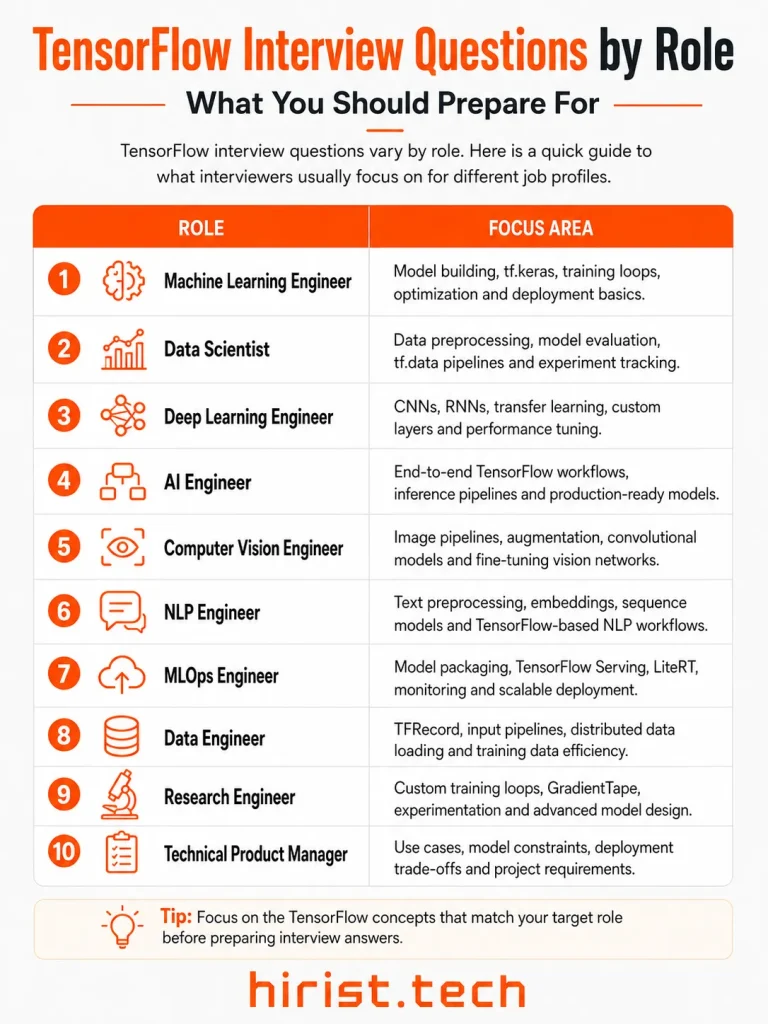
TensorFlow interview questions are commonly asked for roles such as Machine Learning Engineer, Deep Learning Engineer, AI Engineer, Data Scientist, Computer Vision Engineer, and NLP Developer. To make your preparation easier, we have put together the 25+ most commonly asked TensorFlow interview questions and answers that can help you revise important concepts and feel more prepared for the next AI or machine learning interview.
What is TensorFlow?
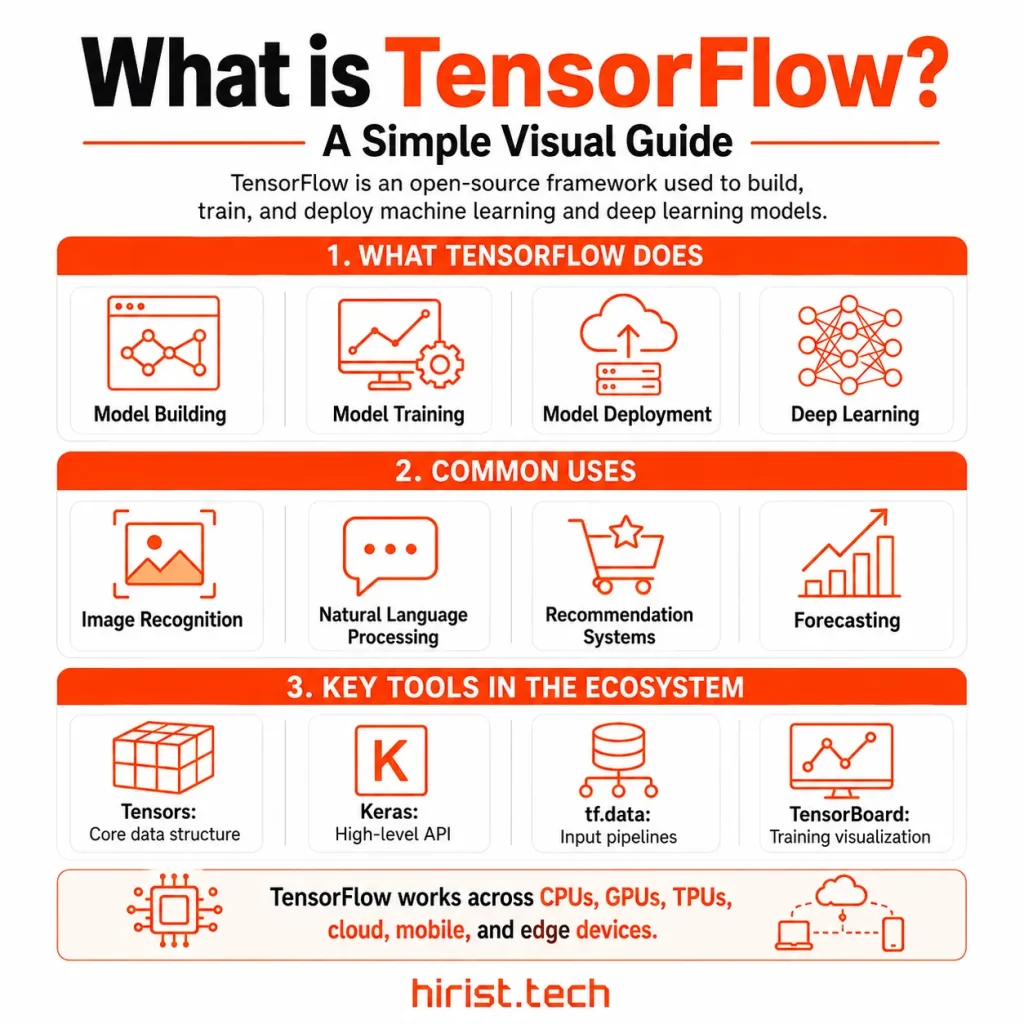
TensorFlow is an open-source framework used to build, train, and deploy machine learning and deep learning models. It was developed by the Google Brain team and released publicly in 2015. The framework works with tensors. These are data structures that can store anything from simple numbers to large collections of images, text, audio, or video. TensorFlow helps developers process this data and train models to recognize useful patterns. It is widely used for image recognition, language processing, recommendation systems, forecasting, and generative AI. TensorFlow can also deploy models on websites, mobile devices, cloud platforms, and specialized hardware such as GPUs and TPUs.
Note:
We have divided these TensorFlow interview questions into basic, intermediate, advanced, coding, and MCQ sections for easier preparation.
Basic TensorFlow Interview Questions (Fundamentals and Core Concepts)
Start here if your interview is approaching. These TensorFlow interview questions and answers will help you refresh essential ideas before moving to harder topics confidently.
1. What is a tensor?
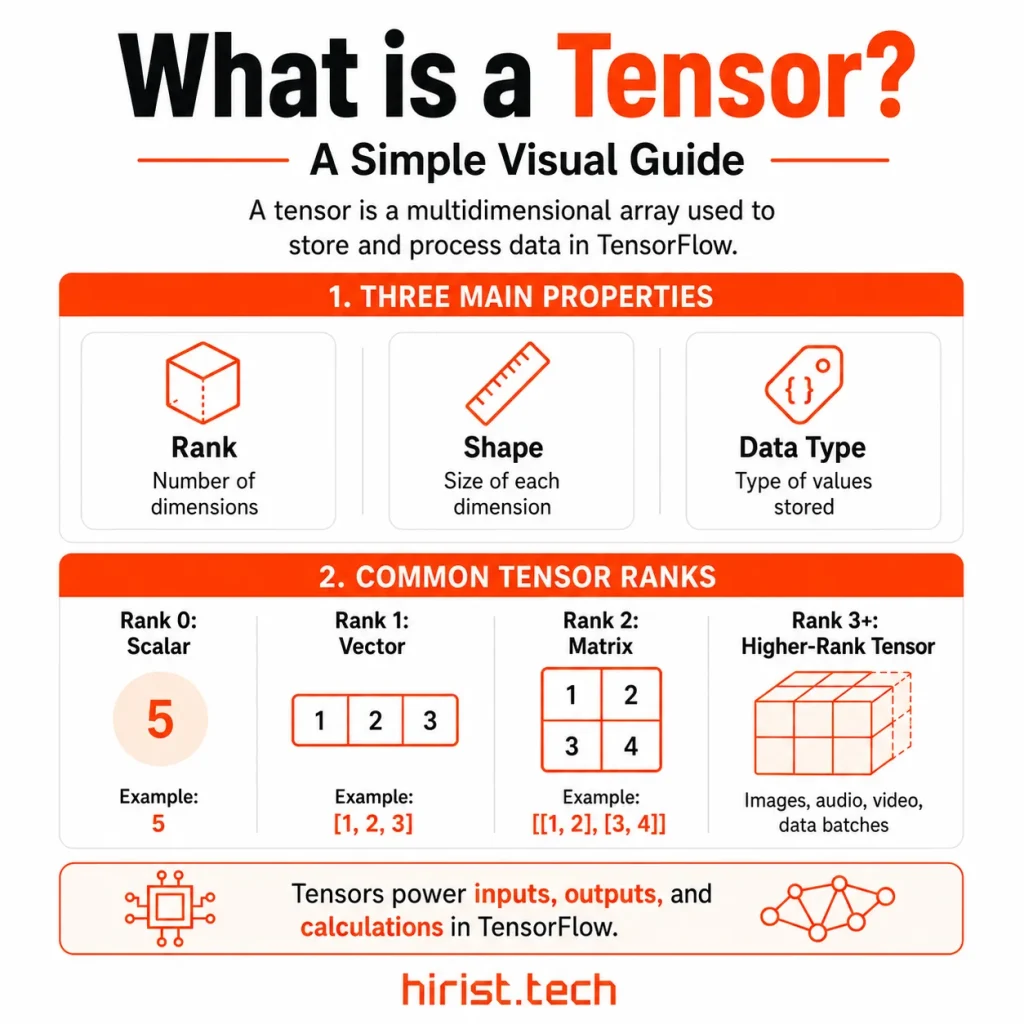
A tensor is a multidimensional array used to store and process data in TensorFlow. Every tensor has three main properties:
- Rank: Number of dimensions
- Shape: Size of each dimension
- Data type: Type of values stored
A scalar has rank 0. A vector has rank 1. A matrix has rank 2. Higher-rank tensors can represent images, audio, video, and data batches. Standard tensors are immutable. Each operation returns a new tensor.
2. What is the fundamental difference between TensorFlow 1.x and TensorFlow 2.x?
The main difference is the execution model.
| TensorFlow 1.x | TensorFlow 2.x |
|---|---|
| Uses static graphs by default | Uses eager execution by default |
| Requires tf.Session() | Returns results immediately |
| Often uses placeholders | Uses tensors and data pipelines |
| Has several model APIs | Uses Keras as the main API |
| Is harder to debug | Supports normal Python debugging |
TensorFlow 2.x can still create compiled graphs with tf.function. Legacy TensorFlow 1.x code may run through tf.compat.v1.
3. What is broadcasting in TensorFlow?
Broadcasting allows element-wise operations between tensors with different but compatible shapes. TensorFlow compares dimensions from right to left. Dimensions are compatible when they match or when one equals 1.
For example, tensors with shapes (2, 3) and (3,) can be added. The smaller tensor is applied across both rows. Shapes (2, 3) and (2,) are not compatible. Broadcasting simplifies code but may increase memory use when large shapes expand.
4. What is the difference between tf.constant and tf.Variable?
tf.constant stores a fixed value. tf.Variable stores a value that can change.
| tf.constant | tf.Variable |
|---|---|
| Immutable | Mutable |
| Cannot be updated directly | Supports assign() methods |
| Used for fixed values | Used for model state |
| Not watched automatically | Trainable variables are watched automatically |
Constants suit fixed inputs and configuration values. Variables hold model weights, biases, counters, and other values updated during training.
5. What is the difference between a Keras layer and a Keras model?
A Keras layer performs one transformation. A Keras model combines layers into a complete network. Layers may contain weights and define their computation through call(). Common examples include Dense, Conv2D, and Dropout.
A model is also a layer. However, it adds methods such as fit(), evaluate(), predict(), and save(). Use a custom layer for reusable operations. Use a custom model for a complete trainable network.
6. When should you use the Sequential API instead of the Functional API?
Use the Sequential API when the model follows one straight path from input to output.
| Use Sequential for | Use Functional for |
|---|---|
| One input and output | Multiple inputs or outputs |
| Simple layer stacks | Branched models |
| No shared layers | Shared layers |
| No skip connections | Residual connections |
Sequential works well for standard feedforward models. The Functional API suits ResNet-style networks, multi-task models, and models that combine several data sources.
7. What are Ragged Tensors and Sparse Tensors?
Both represent data that does not fit efficiently inside a dense tensor.
| Ragged tensor | Sparse tensor |
|---|---|
| Rows have different lengths | Most positions are empty |
| Stores variable-length sequences | Stores values with coordinates |
| Useful for sentences | Useful for sparse matrices |
A ragged tensor may store sentences with different word counts. A sparse tensor may represent user-item data where only a few positions contain values. Ragged data has uneven boundaries. Sparse data has empty positions within a fixed shape.
8. What is TensorBoard?
TensorBoard is TensorFlow’s visualization and experiment-tracking tool. It displays training information through browser-based dashboards.
It can show:
- Training and validation metrics
- Loss and accuracy curves
- Learning-rate changes
- Model graphs
- Weight distributions
- Performance profiles
TensorBoard can reveal overfitting and unstable weights. It can also expose slow data pipelines. In Keras, logs are commonly created with the TensorBoard callback passed to model.fit().
9. How does TensorFlow place operations on CPUs, GPUs, and TPUs?
TensorFlow automatically places operations on devices that support them.
- CPUs handle general tasks and data processing.
- GPUs run parallel calculations such as convolutions.
- TPUs process large tensor workloads and distributed training.
Available devices can be checked with tf.config.list_physical_devices(). Manual placement is possible through tf.device(). For multi-device training, tf.distribute.Strategy manages model copies, input distribution, and gradient synchronization.
Did you know?
Several well-known companies have used TensorFlow. Airbnb uses it to classify property images and identify objects. Spotify applies it to improve music recommendations. Coca-Cola has used TensorFlow to verify purchases through mobile devices. Twitter has also used it to rank posts in users’ timelines.
Note – We can add it in a text box or something that stands out.
Also Read - Top RAG Interview Questions and Answers
Intermediate TensorFlow Interview Questions (Model Building, Training, and Optimization)
Move to this section once the basics feel comfortable. These TensorFlow interview questions and answers will sharpen the practical knowledge interviewers expect from experienced candidates.
10. What is the difference between a loss function and an evaluation metric in TensorFlow?
A loss function guides training. The optimizer uses its gradients to update model weights. An evaluation metric reports model performance but does not normally affect training.
| Loss function | Evaluation metric |
|---|---|
| Minimized during training | Monitored during training and testing |
| Must support gradients | Need not be differentiable |
| Examples include cross-entropy and MSE | Examples include accuracy, recall, and AUC |
The same formula can serve both roles. Keras still tracks the loss and metric separately.
11. How does tf.GradientTape function for automatic differentiation?
tf.GradientTape records TensorFlow operations during the forward pass. It then uses those operations to calculate gradients.
A typical training step is:
- Run the forward pass
- Calculate the loss
- Call tape.gradient()
- Apply the gradients
Trainable tf.Variable objects are watched automatically. Constants require tape.watch(). A regular tape supports one gradient call. Use persistent=True only when several gradient calculations are needed.
12. How do you identify and address overfitting and underfitting?
Overfitting occurs when training results improve while validation results decline. Common fixes include dropout, regularization, data augmentation, early stopping, and a smaller model.
Underfitting occurs when both training and validation results remain poor. Possible fixes include:
- Increase model capacity.
- Train for more epochs.
- Reduce excessive regularization.
- Improve the input features.
- Adjust the learning rate.
Training and validation curves help identify both problems.
13. How does batch normalization affect neural network training?
Batch normalization normalizes layer activations using batch statistics during training. It then applies learned scale and offset values.
It can:
- Stabilize activations.
- Speed up training.
- Support higher learning rates.
- Reduce sensitivity to initialization.
During inference it uses stored moving averages. Very small batches may produce unreliable statistics. Batch normalization may provide mild regularization but does not replace dropout.
14. How do SGD, RMSprop, and Adam differ?
All three optimizers update model weights from gradients. Their methods differ.
| Optimizer | How it works | Common use |
|---|---|---|
| SGD | Uses a shared learning rate | Simple models and strong final generalization |
| RMSprop | Adapts updates from recent squared gradients | Tasks with changing gradient sizes |
| Adam | Combines momentum with adaptive updates | A practical starting choice |
SGD often needs more tuning. Adam usually converges faster at the start. The final choice should depend on validation results.
15. How do you mitigate exploding or vanishing gradients during a custom training loop?
Exploding gradients cause very large weight updates. Vanishing gradients become too small for earlier layers to learn.
For exploding gradients:
- Lower the learning rate.
- Use gradient clipping.
- Check for numerical errors.
- Choose a stable initializer.
python
gradients = tape.gradient(loss, model.trainable_variables)
gradients, _ = tf.clip_by_global_norm(gradients, 1.0)
optimizer.apply_gradients(zip(gradients, model.trainable_variables))
For vanishing gradients use ReLU-based activations, residual connections, normalization, or gated recurrent layers.
16. What is the purpose of the tf.data API?
The tf.data API creates scalable pipelines for loading and transforming training data. It can read from tensors, files, generators, and distributed sources.
Common optimizations include:
- Use parallel map().
- Shuffle before batching.
- Cache repeated transformations.
- Read files with interleave().
- End with prefetch(tf.data.AUTOTUNE).
prefetch() overlaps data preparation with model training. TensorFlow Profiler can show when the input pipeline is slowing the accelerator.
17. Why and when should you use the TFRecord file format?
TFRecord is a binary format for storing sequences of records. Each record commonly contains a serialized tf.train.Example.
Use TFRecord when:
- The dataset is large.
- Many small files slow loading.
- Data must stream from storage.
- Training runs across several workers.
- High input throughput is required.
Large datasets should be split into several shards. TFRecord is not always necessary. CSV, image files, or Parquet may be simpler for smaller projects.
Also Read - Top 40+ Generative AI Interview Questions & Answers
Advanced TensorFlow Interview Questions (Deployment, Production, and Scaling)
Use these interview questions on TensorFlow to prepare for senior-level discussions where interviewers assess judgment, trade-offs, and hands-on production experience.
18. What causes tf.function retracing and how can you reduce it?
Retracing occurs when tf.function creates a new graph for a different input signature. Common causes include changing tensor shapes, data types, Python values, or objects.
Reduce retracing by:
- Defining the function once
- Passing tensors instead of Python values
- Keeping input shapes stable
- Setting an input_signature
- Using reduce_retracing=True
Use None in the signature for dimensions that may change. Batch size is a common example.
19. How does TensorFlow Serving handle prediction requests and model versioning?
TensorFlow Serving hosts exported models for production inference. Applications send requests through REST or gRPC.
Each model version is stored in a numbered directory. TensorFlow Serving loads the highest version number by default. A configuration file can select one version or serve several versions together.
Multiple versions support gradual releases and quick rollbacks. Clients can request the latest model or a specific version.
20. How do you deploy a TensorFlow model on mobile or edge devices using LiteRT?
LiteRT is Google’s runtime for on-device machine learning. It was formerly called TensorFlow Lite.
The main steps are:
- Train and test the model
- Export the TensorFlow model
- Convert it with tf.lite.TFLiteConverter
- Apply quantization when required
- Save the .tflite model
- Test it on the target device
- Run it with the LiteRT runtime
Check operator support before deployment. Some models may need compatible operations or model changes.
21. What is mixed-precision training and when is loss scaling required?
Mixed-precision training uses lower-precision calculations while keeping selected values in float32. It can reduce memory use and speed up training on supported hardware.
mixed_float16 uses float16. Its small gradients may underflow to zero. Loss scaling prevents this by scaling the loss before gradient calculation.
Keras handles loss scaling during Model.fit(). Custom training loops need correct loss-scaling logic. bfloat16 usually does not require it because its exponent range matches float32.
22. What strategies does TensorFlow provide for distributed training?
TensorFlow uses tf.distribute.Strategy for training across GPUs, machines, and TPUs.
| Strategy | Suitable use |
|---|---|
| MirroredStrategy | Multiple GPUs on one machine |
| MultiWorkerMirroredStrategy | Multiple connected machines |
| TPUStrategy | TPUs and TPU Pods |
| ParameterServerStrategy | Worker and parameter-server clusters |
Create the model inside strategy.scope(). Keras can then distribute model.fit(). Custom loops use distributed datasets and strategy.run().
23. How do you profile and debug performance bottlenecks in TensorFlow?
Start by checking training speed, memory use, and device activity. Then record a short run with TensorFlow Profiler.
Its main tools include:
- Input Pipeline Analyzer: Finds slow data loading
- Trace Viewer: Shows CPU and accelerator activity
- TensorFlow Stats: Lists expensive operations
- Memory Profile: Shows high memory use
- GPU Kernel Stats: Examines GPU execution
Idle GPUs often indicate input delays. Long operations may reveal inefficient calculations. Profile after warm-up and measure again after each change.
Also Read - Top 40+ Deep Learning Interview Questions and Answers
TensorFlow Coding Interview Questions
Practice these TensorFlow Python interview questions after reviewing theory so you can write clear code and explain your choices under pressure.
24. How would you write TensorFlow code to create, reshape, slice, and concatenate tensors?
python
import tensorflow as tf
tensor = tf.constant([
[1, 2, 3, 4],
[5, 6, 7, 8],
[9, 10, 11, 12]
])
reshaped = tf.reshape(tensor, (2, 6))
sliced = tensor[:2, 2:]
combined = tf.concat([tensor, tensor], axis=0)
print(reshaped.shape) # (2, 6)
print(sliced.shape) # (2, 2)
print(combined.shape) # (6, 4)
tf.reshape() changes the shape without changing the elements. Slicing follows NumPy-style indexing. tf.concat() joins tensors along a selected axis. Other dimensions must match.
25. How would you create a custom Keras layer with trainable weights?
python
import tensorflow as tf
import keras
class CustomDense(keras.layers.Layer):
def __init__(self, units):
super().__init__()
self.units = units
def build(self, input_shape):
self.kernel = self.add_weight(
shape=(input_shape[-1], self.units),
initializer=”glorot_uniform”,
trainable=True
)
self.bias = self.add_weight(
shape=(self.units,),
initializer=”zeros”,
trainable=True
)
def call(self, inputs):
return tf.matmul(inputs, self.kernel) + self.bias
layer = CustomDense(4)
output = layer(tf.ones((2, 3)))
build() creates weights after the input shape becomes known. call() defines the forward pass. Keras tracks weights created with add_weight().
26. How would you write a custom Keras callback that stops training at a target metric?
python
import keras
class StopAtTarget(keras.callbacks.Callback):
def __init__(self, monitor, target, mode=”max”):
super().__init__()
self.monitor = monitor
self.target = target
self.mode = mode
def on_epoch_end(self, epoch, logs=None):
value = (logs or {}).get(self.monitor)
if value is None:
return
reached = (
value >= self.target
if self.mode == “max”
else value <= self.target
)
if reached:
self.model.stop_training = True
callback = StopAtTarget(
monitor=”val_accuracy”,
target=0.95
)
model.fit(
train_data,
validation_data=validation_data,
epochs=50,
callbacks=[callback]
)
The callback reads the selected metric after each epoch. Training stops when the value reaches the target. Use mode=”min” for metrics such as validation loss.
Also Read - Top 40+ Deep Learning Interview Questions and Answers
TensorFlow MCQs for Quick Interview Practice
Try these MCQs after completing the main questions. They will show you which TensorFlow topics you understand well and which ones need another review.
1. A tf.function receives batches with shapes (32, 128), (64, 128), and (16, 128). Which input signature best reduces retracing?
A. tf.TensorSpec(shape=(32, 128), dtype=tf.float32)
B. tf.TensorSpec(shape=(None, 128), dtype=tf.float32)
C. tf.TensorSpec(shape=(None, None), dtype=tf.int32)
D. No input signature can reduce retracing
Answer: B
None allows the batch size to change while keeping the feature dimension fixed.
2. A custom training loop needs the gradient of a calculation with respect to a tf.constant. What must be done?
A. Convert the constant into a NumPy array
B. Call tape.watch() on the constant
C. Set persistent=True on every tape
D. Add the constant to model.trainable_variables
Answer: B
GradientTape watches trainable variables automatically. Other tensors must be watched explicitly.
3. A GPU remains idle between training steps because data preparation is slow. Which pipeline change is most appropriate?
A. Add prefetch(tf.data.AUTOTUNE) near the pipeline’s end
B. Increase the number of model layers
C. Replace batching with individual samples
D. Convert every tensor to a Python list
Answer: A
Prefetching prepares upcoming data while the model processes the current batch.
4. A dataset applies expensive deterministic decoding. Its order should change every epoch. Which pipeline order is most suitable?
A. shuffle().cache().batch()
B. batch().cache().shuffle()
C. map(decode).cache().shuffle().batch()
D. cache().batch().repeat()
Answer: C
The decoded data is cached once. Shuffling still runs again during later epochs.
5. A pretrained image model contains Batch Normalization layers. During fine-tuning their moving statistics should remain unchanged. What should you do?
A. Remove all Batch Normalization layers
B. Call the base model with training=False
C. Replace Batch Normalization with Dropout
D. Increase the batch size after every epoch
Answer: B
Batch Normalization should remain in inference mode when its stored statistics must stay fixed.
6. A custom training loop uses the mixed_float16 policy. How should gradient underflow be handled?
A. Convert all weights to int8
B. Wrap the optimizer with LossScaleOptimizer
C. Disable automatic differentiation
D. Replace float16 with int16
Answer: B
Loss scaling protects small float16 gradients from numerical underflow.
7. Which TensorFlow strategy is designed for synchronous training across several GPUs on one machine?
A. ParameterServerStrategy
B. MultiWorkerMirroredStrategy
C. MirroredStrategy
D. TPUStrategy
Answer: C
MirroredStrategy creates model replicas across GPUs on a single host.
8. A TensorFlow Serving directory contains model versions 18, 21, and 24. No version policy is configured. Which version is served by default?
A. Version 18
B. Version 21
C. Version 24
D. All versions equally
Answer: C
TensorFlow Serving selects the version with the largest version number by default.
Also Read - Top 90+ Machine Learning Interview Questions and Answers
How to Prepare for a TensorFlow Interview
Here are some helpful tips you can follow to prepare for TensorFlow interview.
- Write a training loop from memory: Practice using tf.GradientTape(), calculating loss, finding gradients, and calling optimizer.apply_gradients() without relying on model.fit().
- Trace tensor shapes by hand: Take a small CNN or dense network and write the output shape after every layer. Shape-related questions are common in coding rounds.
- Rebuild one model three ways: Create the same network with the Sequential API, Functional API, and model subclassing. Note where each approach becomes useful.
- Practice failure scenarios: Prepare clear fixes for overfitting, exploding gradients, retracing, GPU memory errors, and mismatched tensor shapes.
- Review current official documentation: Check TensorFlow and Keras documentation for APIs that have changed. Avoid preparing with tutorials based on sessions, placeholders, or other TensorFlow 1.x patterns.
Also Read - How to Become a Data Scientist in 2026?
Wrapping Up
With these 25+ TensorFlow interview questions and answers, you can revise key concepts, improve practical knowledge, and handle every AI and ML interview easily. Focus on understanding how TensorFlow works and keep practising code. When you are ready to apply, visit Hirist to find IT jobs, including AI and ML roles that require TensorFlow job skills.
Also Read - How to Become a Machine Learning Engineer: Skills & Roadmap
FAQs
No, Keras 3 is a multi-backend framework that supports TensorFlow, JAX, and PyTorch. tf.keras is specifically the Keras API integrated within TensorFlow. It is best to avoid mixing separate Keras engines in a single project unless explicitly supported.
Only prepare for TensorFlow 1.x if the job description mentions legacy systems or migration work. For current roles, focus your preparation on eager execution, Keras, tf.function, tf.data, and modern deployment practices.
The current name is LiteRT. In an interview, you should refer to it as “LiteRT, formerly TensorFlow Lite” to demonstrate awareness of both the updated product name and the terminology still found in existing projects.
Use a five-step structure: identify the likely cause, state what you would inspect, name the specific TensorFlow tool or API, explain the change you would make, and describe how you would test the result. This approach is effective for issues like slow training or shape errors.